
Access Logs
Access Logs
Access Logs are the authoritative record of all badge interactions in the system. They show exactly who scanned, where, when, and in which direction, without interpretation or adjustment.
Every attendance result, work time calculation, and safety view is derived from these logs. This section is the starting point for all checks and investigations and is primarily used by HR, administrators, security, and operational managers.
What Are Access Logs
An access log is a single factual event generated when a badge or identifier is used on an access controller.
Each log records:
- The exact timestamp of the scan
- The access controller used
- The direction of movement (ENTER or EXIT)
- The identified employee (linked via badge or card number)
Important: Access logs are immutable. They are never edited, corrected, or deleted by attendance calculations or reports. If something happened on site, it exists here.
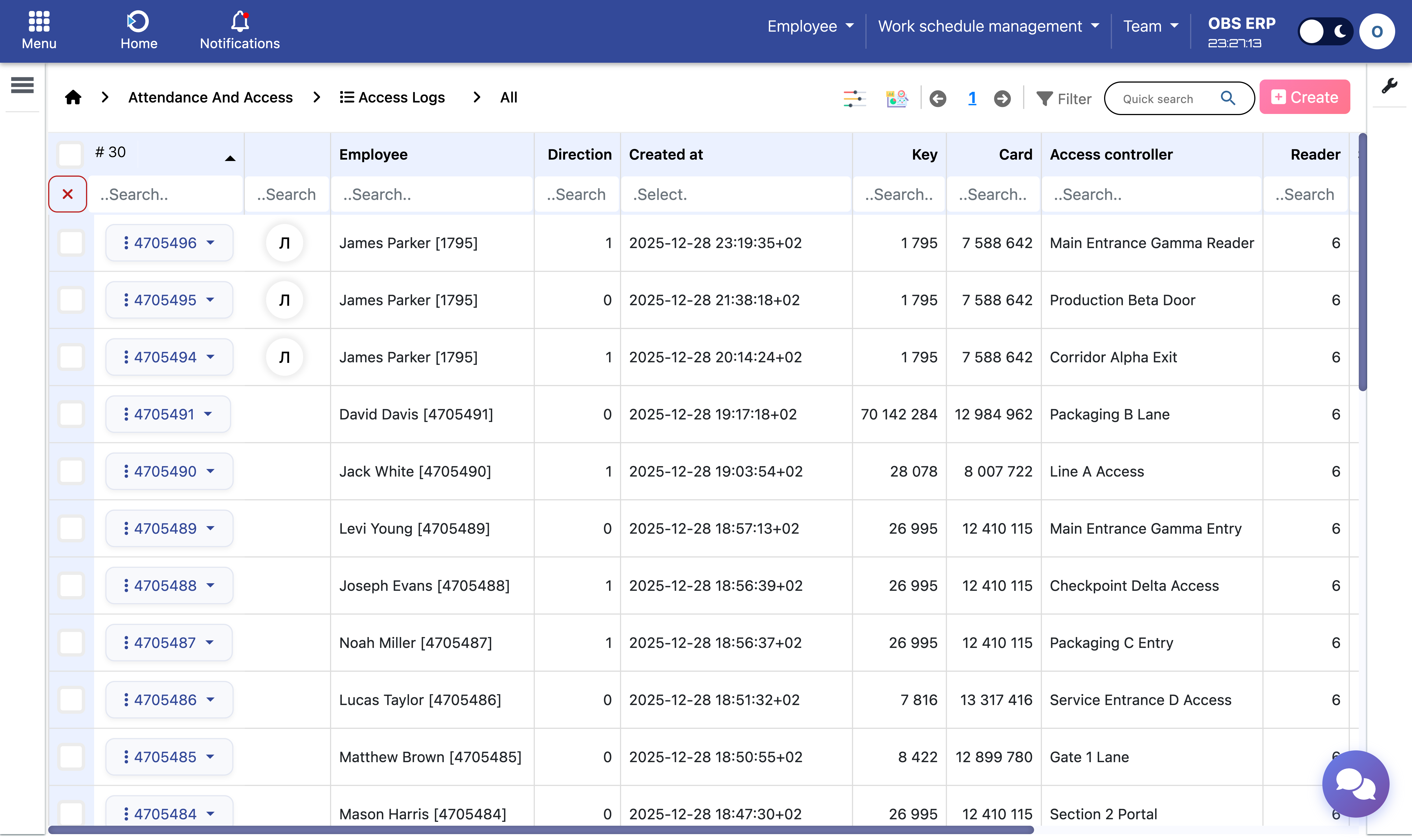
Access logs list showing badge events with timestamps, controllers, and directions
Why Access Logs Matter
Access Logs answer the question: "What actually happened?"
They are used to:
- Verify disputed attendance
- Investigate missing or incorrect shifts
- Trace unusual movements or long presences
- Support audits, inspections, and compliance checks
- Validate controller and integration behavior
Remember: Reports explain results. Access Logs prove facts.
Types of Access Logs
The system supports two logical layers of access data to allow flexible integrations.
Processed Access Logs
- Normalized and validated events
- Linked to employees and controllers
- Used directly by the attendance engine
- Form the basis for shifts, summaries, and reports
Raw Access Logs
- Events received from external or intermediate systems
- Stored for traceability and debugging
- Converted into processed logs during import
Note: This separation ensures that integrations do not compromise accuracy or auditability. Raw data is always preserved for reference.
Site Gates vs Work Zones in Logs
Each access log inherits its meaning from the access controller that generated it.
Site Gate Logs
- Represent entry to or exit from the site or building
- Define presence on site
- Used to determine shift start and shift end
Work Zone Logs
- Represent movement inside productive or controlled areas
- Used to calculate net working time
- Evaluated based on department-specific configuration
An employee may enter the site once and generate many work zone events during the same presence. Both types are visible in Access Logs, clearly distinguished by controller type.
Direction and Time Accuracy
Each access log contains a direction:
- ENTER - Movement into the controlled area
- EXIT - Movement out of the controlled area
The system preserves the exact event timestamp as received. No rounding, guessing, or artificial adjustments are applied.
Calculations rely on:
- Event order
- Time gaps between events
- Controller classification
This allows accurate reconstruction of:
- Shifts
- Breaks
- Net work periods
- Irregular or exceptional behavior
Note: Time zones and daylight saving changes are handled consistently at system level based on the configured timezone.
Typical Use Cases
Access Logs are used to:
- Check why a shift looks incorrect - Review the actual badge events that formed the shift.
- Confirm whether an employee was on site - Search for their events on a specific date.
- Investigate missing exits or duplicate scans - Identify data gaps or controller issues.
- Validate access controller setup - Ensure events are being recorded correctly.
- Support internal and external audits - Provide factual evidence for compliance.
Important: Access Logs are not a payroll report. They are the factual foundation behind all payroll-relevant data.
Key Principles
- Factual and immutable - Logs represent exactly what happened.
- Never overwritten - Calculations and reports do not modify logs.
- Fully traceable - Every report can be traced back to source logs.
- Operationally essential - Supports daily operations and compliance requirements.
Need Help? If you cannot find expected logs or notice gaps in the data, contact your system administrator to verify controller connectivity and integration status.