
Managing past period requests
Managing Past Period Requests
By default, the system enforces restrictions that prevent modifications to leave requests whose dates fall in a past period. These safeguards protect the integrity of finalized schedules and payroll data. In exceptional cases — such as retroactive corrections or administrative adjustments — authorized personnel can temporarily deactivate these restrictions to perform the necessary actions.
The Vacation Restrictions Control
The restrictions control is located directly on the Leave Request page, in the bar immediately below the page title. It displays the current status of the restrictions and provides a single action button — either DEACTIVATE or ACTIVATE — depending on the current state.
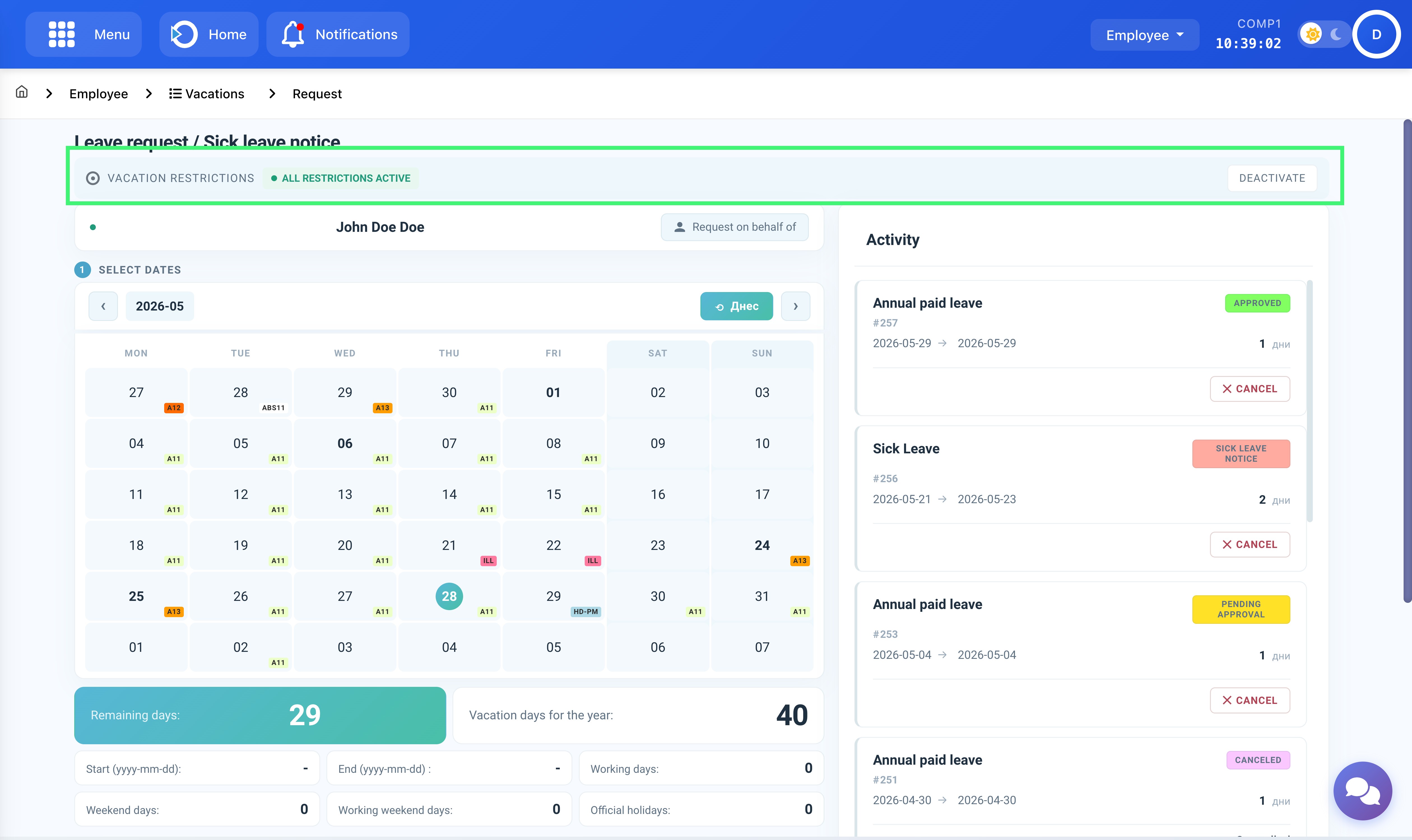
Location: Home > Employee > Vacations > Request. The restrictions bar shows the current status and the available action.
When restrictions are deactivated, the status indicator changes and a warning banner appears at the bottom of the page, indicating that all calendar actions are currently unprotected.
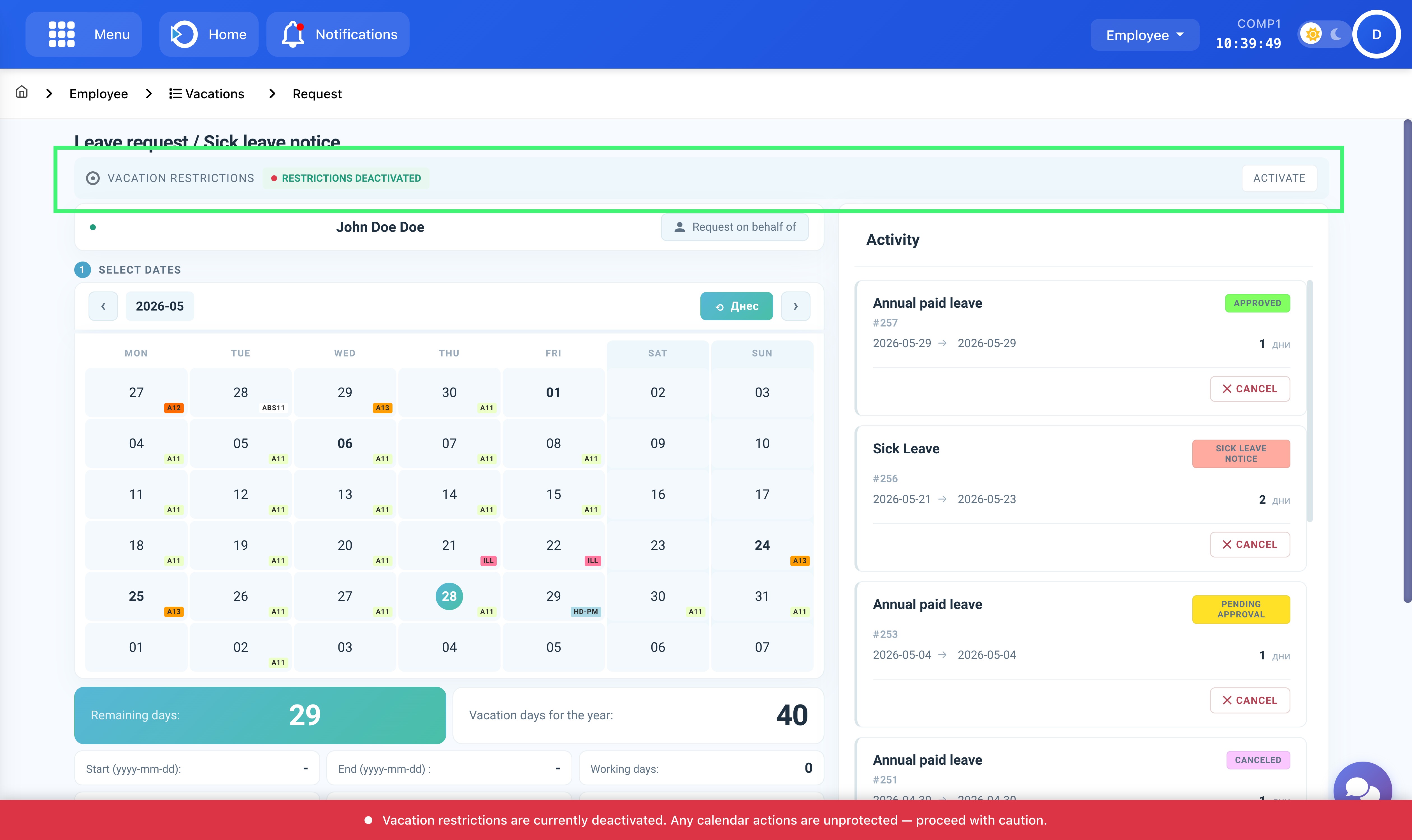
The restrictions bar and warning banner when restrictions are deactivated. Re-activate immediately after completing the required action.
Steps to Manage a Past Period Request
- Navigate to Home > Employee > Vacations > Request.
- In the restrictions bar below the page title, click DEACTIVATE. The status will change to Restrictions Deactivated and a warning banner will appear at the bottom of the page.
- Proceed with the required action — submitting, approving, or cancelling the past-period request.
- Once the action is complete, immediately click ACTIVATE in the restrictions bar to re-enable all restrictions.
Related Documentation
For detailed instructions on each workflow, refer to the corresponding documentation pages: